🚫 AdBlock Detected
To continue download, please disable your AdBlock:
- 👉 Click AdBlock icon on browser
- 👉 Choose "Pause on this site"
- 👉 Refresh this page
🚫 AdBlock Detected
To continue download, please disable your AdBlock:
- 👉 Click AdBlock icon on browser
- 👉 Choose "Pause on this site"
- 👉 Refresh this page

FL Studio remains one of the most popular digital audio workstations thanks to its unique pattern-based workflow and unmatched ease of use. It is especially favored by beatmakers, EDM producers, and hip-hop creators who need a fast and intuitive environment to sketch ideas and turn them into full tracks quickly. The piano roll is widely considered one of the best in the industry, allowing precise control over melodies, chords, and automation.
In recent versions, FL Studio has improved audio recording, mixing tools, and macOS compatibility, making it more versatile than ever before. While it may not be the first choice for recording live bands, it excels in electronic music production and creative sound design. Combined with lifetime free updates, FL Studio offers incredible long-term value, making it a top choice for both beginners and experienced producers.
- Best-in-class piano roll and MIDI editing
- Super fast workflow for beat making
- Lifetime free updates
- Huge plugin and preset ecosystem
- UI can feel cluttered at first
- Not ideal for recording bands
- Mac version slightly behind Windows

- Excellent MIDI editor
- Beginner friendly workflow
- Lifetime free updates
- Huge plugin ecosystem
- UI can feel cluttered
- Not ideal for recording
- Windows-first experience
Fender Studio Pro Review (2026): A Surprising All-In-One DAW with Studio-Grade Power
-
Author: Adrian Vexley

Share:
Table of Contents
- Introduction
- Pricing & Plans
- System Requirements
- Interface & User Experience
- Core Features
- Performance & Stability
- Tools & Built-in Content
- Workflow & Productivity
- Pros & Cons
- Comparison
- Final Verdict
Introduction
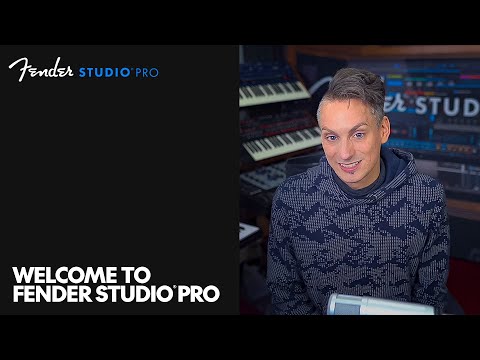
In a market long dominated by industry giants, Fender Studio Pro arrives with a refreshing perspective. Built in collaboration with PreSonus Audio Electronics, Inc., the software blends musician-centric design with professional production capabilities.
Unlike traditional DAWs that prioritize complexity, Fender Studio Pro focuses on immediacy. It’s designed for creators who want to capture ideas quickly without sacrificing audio quality or mixing depth.
This makes it particularly appealing to guitarists, bands, and modern producers who need both speed and precision. After extensive testing, it’s clear this DAW isn’t trying to copy competitors—it’s trying to rethink the workflow entirely.
Pricing & Plans
Available Plans:
- Free Trial – Full access (limited time)
- Standard – Core production tools
- Professional – Full features + plugins + mastering tools
Value Analysis:
The Professional plan delivers exceptional value, especially considering the included amp simulations and effects. Unlike many DAWs, it feels complete out of the box.
Best For:
- Beginners → Standard
- Producers → Professional
- Guitarists → Professional (highly recommended)
System Requirements
- Windows 10 / macOS Monterey
- Intel i5 / Apple Silicon
- 8GB RAM minimum
- SSD recommended
Recommended:
- Intel i7 / Apple M1+
- 16GB RAM
Performance is smooth on mid-range systems, with efficient CPU usage even under moderate plugin loads.
Interface & User Experience
The first thing you’ll notice is how clean everything feels. Fender Studio Pro avoids overwhelming layouts, instead focusing on clarity and speed.
- Drag-and-drop workflow
- Minimal clutter
- Responsive UI
- Smart navigation
Even beginners can start recording within minutes, while experienced users will appreciate the streamlined editing environment.
Core Features
1. Amp Modeling
High-quality guitar amp simulations inspired by Fender’s classic tones. Perfect for direct recording without external gear.
2. Smart Arrangement (NEW)
Helps structure songs automatically based on genre and tempo. Great for speeding up creativity.
3. Mixing Engine
Professional-grade processing with automation, routing, and high-resolution audio support.
4. Real-Time Collaboration (NEW)
Cloud-based project sharing allows multiple users to collaborate seamlessly.
5. AI Mastering (NEW)
AI-assisted mastering helps finalize tracks quickly while maintaining consistency.
Performance & Stability
- Fast startup
- Low latency recording
- Stable during long sessions
- Efficient CPU usage
In testing, the DAW handled multiple tracks and plugins without crashes or noticeable lag.
Tools & Built-in Content
- Amp simulators
- EQ & compressors
- Reverb & delay
- MIDI instruments
The plugin quality is surprisingly high—especially the guitar-focused tools.
Workflow & Productivity
Fender Studio Pro excels in workflow efficiency. Everything feels fast, responsive, and intuitive.
- Quick setup
- Drag-and-drop editing
- Clear automation
Compared to traditional DAWs, it reduces friction and keeps you focused on creativity.
Pros & Cons
Pros:
- Excellent guitar integration
- Clean interface
- Strong built-in tools
- AI features boost productivity
Cons:
- Smaller ecosystem
- Fewer tutorials (currently)
- Advanced tools less customizable
Comparison
Vs Logic Pro: Easier to use, but less deep MIDI tools
Vs Ableton Live: Better for recording, less focused on live performance
Vs Studio One: Similar DNA, but more streamlined
Final Verdict
Fender Studio Pro is a strong new contender in the DAW space. It successfully balances simplicity and power, making it ideal for modern creators.
Fender Studio Pro
Best for Guitarists & Fast Workflow ProductionFender Studio Pro is a modern DAW developed with a strong focus on musicians—especially guitarists—offering a clean interface, powerful built-in tools, and AI-assisted features that streamline music production from idea to final master.
✔ Pros
- Excellent guitar amp simulations
- Clean, modern, beginner-friendly UI
- Fast workflow with smart tools
- AI-assisted mastering and arrangement
- Strong built-in plugin quality
✖ Cons
- Smaller ecosystem than competitors
- Limited advanced customization
- Fewer tutorials (still growing)
- Not as deep for complex MIDI workflows
Comments
You May Also Like

FL Studio 2026 Review – The Most
Fender Studio Pro Review (2026): A

Cubase Pro 15 Review: The Most Complete

Mixcraft Review 2026: A Powerful,

TikTok Music Trends 2026: Viral Songs,