🚫 AdBlock Detected
To continue download, please disable your AdBlock:
- 👉 Click AdBlock icon on browser
- 👉 Choose "Pause on this site"
- 👉 Refresh this page
🚫 AdBlock Detected
To continue download, please disable your AdBlock:
- 👉 Click AdBlock icon on browser
- 👉 Choose "Pause on this site"
- 👉 Refresh this page

FL Studio remains one of the most popular digital audio workstations thanks to its unique pattern-based workflow and unmatched ease of use. It is especially favored by beatmakers, EDM producers, and hip-hop creators who need a fast and intuitive environment to sketch ideas and turn them into full tracks quickly. The piano roll is widely considered one of the best in the industry, allowing precise control over melodies, chords, and automation.
In recent versions, FL Studio has improved audio recording, mixing tools, and macOS compatibility, making it more versatile than ever before. While it may not be the first choice for recording live bands, it excels in electronic music production and creative sound design. Combined with lifetime free updates, FL Studio offers incredible long-term value, making it a top choice for both beginners and experienced producers.
- Best-in-class piano roll and MIDI editing
- Super fast workflow for beat making
- Lifetime free updates
- Huge plugin and preset ecosystem
- UI can feel cluttered at first
- Not ideal for recording bands
- Mac version slightly behind Windows

- Excellent MIDI editor
- Beginner friendly workflow
- Lifetime free updates
- Huge plugin ecosystem
- UI can feel cluttered
- Not ideal for recording
- Windows-first experience
REAPER Review 2026: The Most Powerful Budget DAW for Professionals?
-
Author: Adrian Vexley

Share:
Table of Contents
- Introduction
- Pricing & Plans
- System Requirements
- Interface & User Experience
- Core Features Breakdown
- Performance & Stability
- Tools & Built-in Plugins
- Workflow & Productivity
- Pros & Cons
- Comparison
- Final Verdict
Introduction
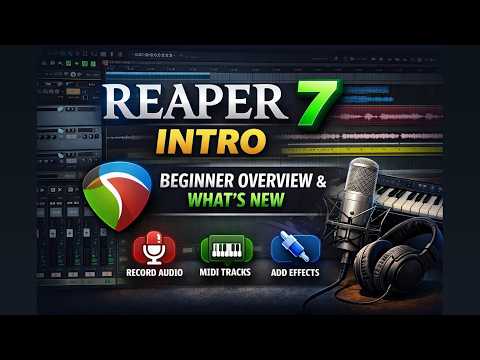
In a market dominated by heavyweight digital audio workstations like Logic Pro, Pro Tools, and Ableton Live, REAPER stands out as a quiet disruptor.
Developed by Cockos Inc., REAPER (Rapid Environment for Audio Production, Engineering, and Recording) has steadily evolved into one of the most flexible DAWs on the planet. Unlike its competitors, REAPER doesn’t rely on flashy visuals or massive bundled libraries—it focuses on performance, efficiency, and deep control.
This DAW is built for users who want precision. Whether you're mixing large sessions, designing sound, or recording content, REAPER adapts to your workflow instead of forcing you into one.
Pricing & Plans
- Discounted License: $60 (individuals, hobbyists, small studios)
- Commercial License: $225 (professional or higher revenue use)
Unlike most DAWs, both licenses include the full feature set—no restrictions, no hidden upgrades.
Value Analysis:
- No subscription model
- Full version access for all users
- Generous evaluation period
- Free updates within major versions
REAPER easily delivers one of the best price-to-performance ratios in the entire DAW market.
System Requirements
Windows: Windows 7 or newer
macOS: macOS 10.10 or newer (Apple Silicon supported)
Recommended Specs:
- 8GB RAM or higher
- SSD storage
- Multi-core CPU
REAPER is incredibly lightweight and runs smoothly even on older machines, making it ideal for both entry-level setups and professional studios.
Interface & User Experience
REAPER’s interface is functional rather than flashy. At first glance, it may feel outdated compared to modern DAWs—but that’s intentional.
The real strength lies in its complete customization.

Key UI Features:
- Custom themes and layouts
- Dockable panels
- Editable toolbars
- Custom shortcuts and menus
Strengths:
- Fully adaptable interface
- Efficient once configured
- Ideal for power users
Weaknesses:
- Steep learning curve
- Less beginner-friendly
- Requires setup time
Core Features Breakdown
Unlimited Tracks & Routing
REAPER allows unlimited tracks and offers one of the most advanced routing systems available. This makes it ideal for complex mixing and sound design.
Advanced Automation
- Automation items
- Per-item automation
- Detailed envelope editing
Non-Destructive Editing
All edits are non-destructive, allowing total flexibility during production.
Scripting & Custom Actions
Users can create macros, automate workflows, and even extend functionality using scripting languages like Lua or Python.
Latest Updates (2025–2026)
- Improved FX browser
- Enhanced MIDI editing
- Better automation visuals
- UI scaling improvements
- Performance optimization
Performance & Stability
REAPER is widely known for its exceptional performance.
- Fast project loading
- Low CPU usage
- Efficient RAM handling
- Stable even in heavy sessions
Even with large projects and multiple plugins, REAPER remains responsive and reliable.
Tools & Built-in Plugins
REAPER includes its own suite of plugins called ReaPlugs.
- ReaEQ
- ReaComp
- ReaDelay
- ReaVerb
- ReaGate
These plugins are efficient and clean but lack visual polish and presets.
Important: No built-in virtual instruments are included.
Workflow & Productivity
REAPER’s workflow becomes incredibly powerful once customized.
- Custom shortcuts
- Mouse modifiers
- Track templates
- Region-based editing
Compared to other DAWs, REAPER offers unmatched flexibility but requires effort to fully unlock its potential.
Pros & Cons
Pros
- Very affordable
- Extremely lightweight
- Highly customizable
- Stable and reliable
- Advanced routing system
Cons
- Not beginner-friendly
- No built-in instruments
- Basic default UI
Comparison
REAPER vs Logic Pro: Logic is easier for beginners, REAPER is more flexible.
REAPER vs Ableton Live: Ableton excels in live performance, REAPER in editing and mixing.
REAPER vs Pro Tools: Pro Tools is industry standard, REAPER is more affordable and efficient.
Final Verdict
REAPER is not for everyone—but for users who value control, performance, and customization, it’s one of the best DAWs available today.

REAPER
Best for Advanced Users & Audio EngineersREAPER is a powerful, lightweight digital audio workstation known for its deep customization, ultra-efficient performance, and unbeatable pricing. Ideal for professionals and power users who want full control over their workflow.
✔ Pros
- Extremely lightweight and fast
- Highly customizable workflow
- Affordable one-time pricing
- Stable even in large projects
- Advanced routing and automation
✖ Cons
- Steep learning curve for beginners
- No built-in virtual instruments
- Basic default interface design
- Requires setup for optimal workflow
Comments
You May Also Like

GarageBand Review 2026: Is Apple’s Free

Fender Studio Pro Review (2026): A

Bitwig Studio Review 2026: The Most

Cubase Pro 15 Review: The Most Complete

FL Studio 2026 Review – The Most